
Have you ever stopped to think about how much time you really spend on repetitive, low-value tasks in your daily professional life? I’m not talking about those big projects that you are passionate about, but rather about email management, data entry, scheduling appointments or publishing on social networks. A recent Salesforce study revealed that office workers spend, on average,30% of your work week to manual and repetitive tasks that could be automated. Imagine this: if you work 40 hours a week, almost a full day and a half goes away in tasks that a machine could do for you!
This number is not only surprising, it is a wake-up call for any entrepreneur, freelancer, or small business owner who feels constantly overwhelmed. In a world where efficiency and agility are the currency, remaining anchored to manual processes is like trying to win a Formula 1 race in a pedal car. The promise of technology is not just to do things faster, but to free us to focus on what truly matters: strategy, creativity, human connection and the growth of our business.
But how to take that leap? How do you go from the frustration of overload to the peace of mind of knowing that part of your work is managed automatically? The answer lies in the strategic adoption of a “digital assistant.” We are not talking about a physical robot or complex artificial intelligence that requires programming by experts. We are referring to a set of tools and methodologies that, step by step, will allow you to delegate those repetitive tasks to technology. This article is your guide to integrating your first digital employee, transforming the way you work and giving you back that valuable time that escapes you today.
The Crude Reality of Modern Productivity
The dream of every entrepreneur is to have more time. More time to develop new ideas, to serve customers better, to innovate, or simply to enjoy personal life without the constant pressure of work. However, the reality is usually different. Many of us find ourselves trapped in an endless cycle of administrative, operational and support tasks that, while necessary, rarely bring us closer to our strategic objectives.
The Myth of Efficient Multitasking
We have been conditioned to believe that we can do anything. That being “multitasking” is a virtue. But science has proven the opposite. Constantly switching from one task to another not only reduces our efficiency, but also increases stress and decreases the quality of our work. Every time we change context, our brain needs time to reorient itself, which translates into a significant loss of productivity throughout the day. This fragmentation of attention is the number one enemy of concentration and creativity.
Think about how many times a day you go from answering an email to updating a spreadsheet, then checking a social network, and from there to a phone call. Each of those jumps is a small hemorrhage of energy and time. Multitasking does not make us more productive; It makes us feel busy, but it rarely brings us closer to meaningful results.
Why Do We Keep Doing Repetitive Tasks?
The answer is simple: because it has always been done that way, or because we don’t know that there is a better alternative. Many entrepreneurs and small business owners operate with the mentality of “I do it myself because it’s faster than explaining it” or “I don’t have the budget to hire someone.” And they’re right, hiring a human employee involves salaries, benefits, training, and a learning curve.
However, technology has democratized automation. Today, accessible and easy-to-use tools allow anyone, without advanced technical knowledge, to set up their own “digital employee.” This assistant does not ask for vacations, does not complain, works 24/7 and his cost is a fraction of what a human employee would cost. The question is not whether you can afford a digital assistant, but whether you can afford to *not have one*.
Define the “What” and the “Why”: The Task Audit
The first and most crucial step in integrating your first digital assistant is to understand which tasks are ideal candidates to be automated or delegated. It’s not about automating for the sake of automating, but doing it with a clear purpose: freeing your time and energy for higher-value activities.
Mapping Your Day to Day: Where Does Your Time Go?
To identify what to automate, you first need to know where your time is going. For a week, keep a detailed record of all the tasks you perform. You can use a simple spreadsheet, a time tracking app (like Toggl Track or Clockify), or even a notebook. Write down the task, the time spent, and whether you found it repetitive, tedious, or of low value.
At the end of the week, review your log. You’ll be surprised at how much time you spend on tasks that don’t require your creative genius or strategic decision making.
Examples of common tasks to audit:
* Email management:classify, answer frequently asked questions, archive.
* Appointment scheduling:coordinate schedules, send reminders.
* Data entry:Pass information from a form to a spreadsheet or CRM.
* Social Media Post:share content on multiple platforms, schedule posts.
* Report generation:collect data from different sources.
* Billing and accounting:generate recurring invoices, record expenses.
* File management:organize documents in the cloud.
* Customer Support:answers to frequently asked questions, ticket referral.
Criteria for Automation and Delegation
Once you have your list of tasks, apply these criteria to determine which are the best candidates for your “digital employee”:
- Repetitive:Is this task done the same way, over and over again? The more repetitive, the better candidate it is.
- Rule-based:Does the task follow a clear and predictable set of rules? (Ex: “if an email arrives with this subject, do this”, “if a customer buys this product, send them this email”).
- Of low strategic value:Doesn’t the task require your expert judgment, creativity, or deep personal interaction?
- Time consuming:Even if it is simple, does it take up a significant amount of hours per week or month?
- Prone to human errors:Repetitive manual tasks are a breeding ground for errors. Automation can improve accuracy.
The book “Your Digital Employee” dedicates an entire section to this audit and analysis process, offering templates and practical exercises so you can precisely identify where your biggest time leaks are and how to plug them with the help of technology.
Choose Your First “Assistant”: Types and Tools
With your list of candidate tasks in hand, it’s time to explore the tools that will act as your digital assistant. There is no one-size-fits-all solution; The choice will depend on the specific tasks you want to automate. Next, we’ll explore the most common types of digital “assistants.”
Automation Wizards (RPA Software)
These are the workhorses of automation. They are platforms that connect different web applications together, allowing them to “speak” and execute actions based on triggers and conditions. Think of them as the brain of your digital assistant, orchestrating workflows between your favorite tools.
* Zapier:It is perhaps the most well-known and beginner-friendly. It allows you to create “Zaps” (workflows) that connect thousands of applications.
* Concrete example:“Every time I receive a new email in Gmail with the label ‘invoice,’ it creates a new row in a Google Sheets spreadsheet and attaches the PDF file to my Dropbox folder.”
* Another example:“When a new subscriber joins my Mailchimp list, they send a personalized welcome message through my CRM and add a task in my Asana for my sales team.”
* Make (formerly Integromat):Similar to Zapier, but often considered more powerful and with a more advanced visual interface for complex workflows. Offers more control over logic and data routing.
* Concrete example:«Monitor my Twitter account for mentions of my brand. If you find a positive mention, send me a notification on Slack and save the tweet to a Notion database for future analysis. If negative, create a support ticket in Zendesk. »
* IFTTT (If This Then That):More consumer-oriented and simple automation between devices and services. Useful for personal or very simple tasks.
* Concrete example:“If I post a new photo on Instagram, automatically share it on my Facebook page.”
Content and Ideas Assistants (Generative AI)
Artificial intelligence has revolutionized the way we generate text, images and other forms of content. These assistants are ideal for freeing your mind from the “blank page” and speeding up creative or research processes.
* ChatGPT, Bard (Google AI), Claude:Large language models that can generate coherent and relevant text for a multitude of purposes.
* Concrete example:“Give me 5 ideas for a blog post on ‘small business marketing’ and then write an introductory draft for idea number 3.”
* Another example:“Summarize this 2,000-word article in 300 words, highlighting key points.”
* Also:“Write a thank you email to a customer who has just made a large purchase, in a friendly and professional tone.”
* AI graphic design tools (e.g. Canva Magic Design, Midjourney, DALL-E):Although they are not “assistants” in the sense of automating workflows, they can dramatically speed up the creation of visual elements.
* Concrete example:“Generate an image for a blog post about the future of work, with a futuristic style and blue tones.”
Management and Productivity Assistants
These tools, while not always “automating” in the strict sense, act as organizational and collaborative assistants, managing tasks that would otherwise require your constant intervention.
* Calendly (or Acuity Scheduling):Completely automate appointment scheduling.
* Concrete example:Instead of exchanging 10 emails to find a time, you simply send your Calendly link and the customer chooses an available time on your calendar. Reminders are sent automatically.
* Trello, Asana, Monday.com, ClickUp:Project managers who help organize tasks, assign responsibilities and track progress.
* Concrete example:A Trello “board” for your blog content, where each card is a post idea that moves from “Idea” to “Draft” to “Review” to “Published,” with deadlines and assignees assigned.
* Notion:A “Swiss army knife” for information organization, project management and the creation of knowledge bases.
* Concrete example:Create a customer database with their details, interaction history and links to specific projects, all in one place and easily searchable.
Human Virtual Assistants (Outsourcing)
Although the focus of this article is the software-based “digital employee,” it is important to mention that for tasks that require human judgment, advanced creativity, or personal interaction, a human virtual assistant may be the best option. Platforms like Upwork or Fiverr connect you with qualified professionals. The key is to understand that not everything can or should be automated; Sometimes delegation to one person is the most efficient solution.
The choice of tool or combination of tools should be based on your task audit. Start with one or two tools that solve your biggest pain point and familiarize yourself with them before expanding.
Setup and Training: Putting Your Assistant to Work
Once you have identified the tasks and chosen the tools, it is time for action: configuring and “training” your digital assistant. This is not a “set it and forget it” process, but one of continuous iteration and improvement.
Start Small, Scale Smart
The temptation to automate everything at once is great, but resist. Start with a single task that is clearly repetitive, rule-based, and consumes a significant amount of your time. This will allow you to become familiar with the tool, understand its logic and see results quickly, which will motivate you to continue.
Example:Instead of trying to automate your entire sales funnel, start with something as simple as automating the sending of a welcome email to new subscribers to your newsletter.
Designing the Workflow: The “How”
This is where you create the “instructions” for your digital assistant. Most automation tools (like Zapier or Make) work on a “trigger and action” model.
- Defines the Trigger:What event starts the workflow?
* Example: “New email in Gmail with the subject ‘Customer inquiry’.”
* Example: “New row added in Google Sheets.”
* Example: “New sale on Shopify.”
- Defines the Action:What should your digital assistant do when the trigger is activated?
* Example: “Create a task in Asana.”
* Example: “Send a message to Slack.”
* Example: “Update a record in your CRM.”
- Add Intermediate Steps (Optional):Some tools allow you to add conditional logic, filters or data transformations.
* Example: «If the email contains the word ‘urgent’, send a message to Slack. If not, just create the task in Asana.”
* Example: “Format the date of the new record before adding it to the spreadsheet.”
It is essential to be as specific as possible in each step. Imagine that you are giving instructions to a person who has no prior knowledge. What exactly do you need to know? What data is important? What should you do in each scenario?
Testing and Refinement: The “Debugging” Phase
Once you’ve set up your workflow, don’t just let it run! The testing phase is critical. Run the trigger in simulation or with test data to make sure everything works as you expect.
* Check each step:Is the data transferred correctly? Are the expected actions activated?
* Test limit scenarios:What happens if data is missing? What happens if the trigger is activated twice?
* Fix bugs:It is normal to find small errors at first. Adjust the settings until the flow is flawless.
This phase may take a little time, but it is an investment that will save you a lot of headaches in the future.
Documentation: Your “Digital Employee” Manual
Even if your digital assistant is software, it is vital to document how it works. This is useful for several reasons:
* For you:If you need to review or modify the workflow in the future, you’ll have a clear record of how it’s set up.
* For your team:If someone else needs to understand or take charge of the wizard, they will have a guide.
* For scalability:As you add more digital assistants, having standard documentation will help you stay organized.
A simple document in Google Docs or Notion that describes the trigger, actions, tools involved, and any specific logic is sufficient. Add screenshots if necessary.
Measuring Impact and Optimizing
The goal of your digital assistant is to improve your efficiency and free up your time. Therefore, it is essential to measure the impact of your implementation and continually look for ways to optimize it.
The ROI of Time and Energy
The Return on Investment (ROI) of your digital assistant is not always measured in money directly, but in time released and energy recovered.
* Time saved:How many hours per week or month does this automation save you? If a task took you 15 minutes a day and is now automatic, that’s 15 minutes a day that you can dedicate to something more productive!
* Error reduction:Has the number of manual errors in that task decreased?
* Improvement in speed:Are tasks done faster? (Ex: sending instant welcome emails vs. manual).
* Stress reduction:Do you feel less pressure from having to remember to do that task?
Keep track of these benefits. It will help you justify the investment (even if it’s just your time) and motivate you to keep exploring new automations.
Continuous Monitoring and Adjustment
Your needs and the tools you use may change over time. Therefore, your digital assistant is not a static solution.
* Periodically review:At least once a quarter, review your automations. Are they still relevant? Can they be improved?
* Stay up to date:Automation tools are constantly evolving. New features or integrations can open up new possibilities. Subscribe to the blogs of the tools you use to stay up to date.
* Listen to your business:As your business grows, new repetitive tasks will arise. Keep an eye out for them as future candidates for your digital assistants.
Expanding Your Assistant’s Capabilities
Once you’re comfortable with your first automations, you can start thinking about expanding the capabilities of your digital assistant.
* More complex automations:Combine multiple steps, add conditional logic, or integrate more tools.
* Automation chains:Create “chains” where the result of one automation triggers the next. For example, a sale triggers a welcome email, which in turn triggers a follow-up task for the team and updates the CRM.
* Integration with AI:Use generative AI tools to create content or analyze data as part of your automated flows. For example, automate the generation of a weekly draft report using AI, and then send that draft to your email.
Remember that the goal is not to replace human judgment or creativity, but to enhance it. Your digital assistant should be a companion that frees you from the mundane so you can focus on the extraordinary.
The path to automation may seem daunting at first, but like any valuable skill, it is mastered with practice and a step-by-step approach. Your first digital assistant doesn’t have to be a complex network of artificial intelligence; It can be as simple as a connection between your calendar and your video conferencing tool. The key is to start, learn and grow. In the end, the goal is the same: reclaim your time, your energy, and your focus, so you can build the business and life you really want.
📖 If this topic interests you, I recommend the bookYour Digital Employeethat delves into all of this with practical exercises and step-by-step strategies. 👉 Available on Amazon:Your Digital Employee
This is just a sample. The complete book teaches you how to turn AI into your most productive employee.
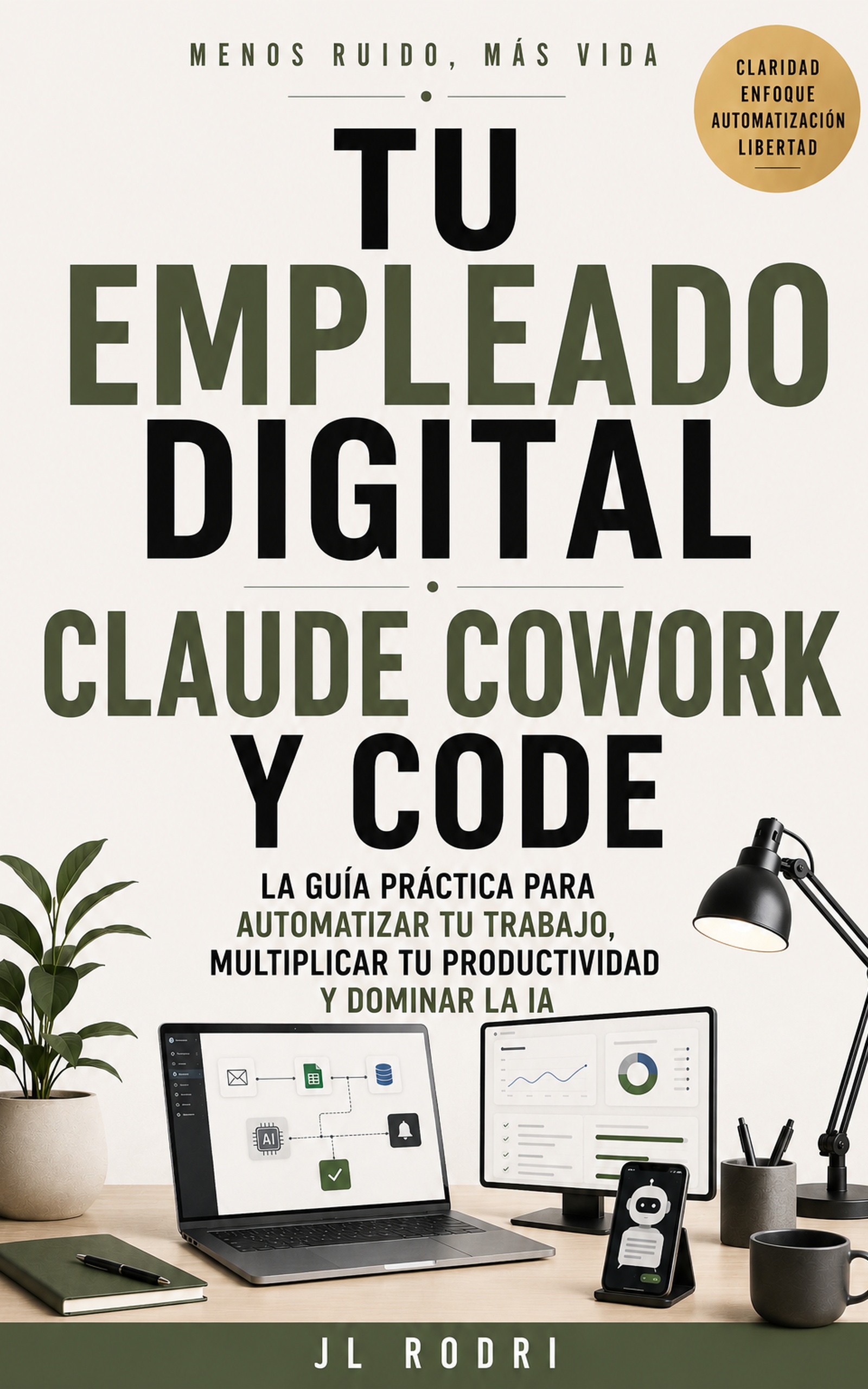
📖 Your Digital Employee
Claude and AI as your best collaborator